Skills & Raids Controls and Interface Guide
Master movement, targeting, pause, party switching, and every UI panel before your first raid.
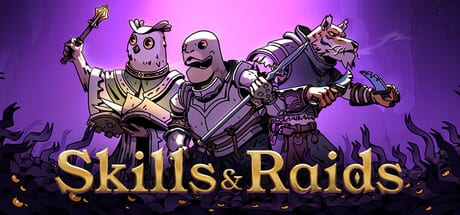
Skills & Raids launches on Steam on July 27, 2026 for $9.99, with a 20% launch discount through August 10. This party extraction RPG combines real-time combat with full pause, 21+ quests, and 12 Steam achievements. If you played the demo (Steam app 4770110), many controls carry over, but the full release adds deeper inventory and crafting UI. This guide explains every PC input and interface element you need before your first raid.
Movement and Camera
WASD moves the currently selected party member. Each press sends a movement command to that hero only; the other two hold position unless you switch and move them separately. Hold a direction to path continuously across open ground. Narrow corridors and extraction choke points reward deliberate positioning rather than frantic tapping.
The mouse handles targeting. Left-click an enemy to select it as the active target for the selected hero’s next skill. Right-click or use context actions where the UI offers them. Hover enemies during pause to read ability names, health, and active buffs without time pressure.
Party Selection and Skill Hotkeys
You command a fixed trio: Shelldon (tank), Clawrk (DPS), and Owlivia (healer). Switch the active character with the party selection keys shown in the settings menu (default: Tab or dedicated F-keys depending on your binding). Only the selected hero receives movement and primary skill commands until you switch.
Each hero equips two active skills from their personal pool. Number keys 1 and 2 (or your rebound slots) fire the equipped abilities for the selected character. Slot 1 and Slot 2 map to that hero’s current pair. Reassign skills between runs at camp or the pre-raid loadout screen, not mid-animation.
Typical loadout thinking:
- Shelldon: one taunt or shield plus one crowd-control tool.
- Clawrk: one debuff or gap-closer plus one burst damage skill.
- Owlivia: one direct heal plus one cleanse or regeneration ability.
For ability names, cooldowns, and synergies, see the Skills page and the Combat Guide.
Pause Anytime
Pause is available at every moment: exploration, combat, menus, even mid-cast. There is no penalty, cooldown, or limited use. Open pause to inspect enemy telegraphs, queue orders for all three heroes, review inventory weight, or move items into your safe pocket before a risky engagement.
Treat pause as a core mechanic, not a last resort. Skills & Raids is real-time by default, but the designers expect you to freeze time when learning new enemy types or coordinating three-character combos. Resume only when every hero has a clear next action.
Inventory, Safe Pocket, and Stash
The inventory panel shows carried loot, gear, consumables, and quest items with weight and slot limits. Full bags force mid-run sendbacks or risky discard decisions.
The safe pocket is a protected sub-inventory. Items moved here survive death if you fail to extract. Before elite fights, drag high-rarity materials and irreplaceable quest objects into the safe pocket. The UI highlights protected slots clearly.
In your stash at camp or hub zones:
- Sort by type, rarity, or recent acquisition.
- Transfer stacks between stash, personal inventory, and crafting input buffers in bulk where supported.
Mastering sort and transfer saves minutes between runs, critical when chasing launch-week achievements across 21+ quests.
Crafting Tab and Quest Log
The crafting tab opens from camp or between-run hubs. It lists recipes, required materials pulled from stash, and output previews. You cannot craft during active combat, but you can review recipes in pause if the menu is accessible. After gathering mats on a run, transfer from stash to the crafting queue on the Crafting page.
The quest log tracks main and side objectives, map markers, and completion rewards. Pin active quests so reminders appear during raids. Many of the 21+ quests teach UI features such as safe pocket usage, sendback points, and first crafts, so keep the log open during early sessions. New players should start with the Getting Started Guide for quest order and extraction priorities.
Free Skills (formerly Fading Core Skills)
At launch, the development team renamed Fading Core Skills to Free Skills for clarity. These are baseline abilities every hero can access without rare drops: your starter kit before enemy skill loot expands your pool.
Free Skills appear in a dedicated section of the skills UI, separate from extracted or crafted abilities. They level through use and quest progression, not random drops. When comparing builds, note which slots use Free Skills versus looted replacements; early runs rely heavily on them until your Skills collection grows.
Do not confuse Free Skills with temporary buffs or zone debuffs. They are permanent loadout options until you swap them at camp.
PC Tips for Launch Week
Display and performance: Run at your monitor’s native resolution with v-sync or a frame cap if you see tearing during fast camera pans. Lower shadow quality first if you need frames in dense enemy packs.
Key rebinding: Rebind pause to an easy reach key (Space or a mouse side button). Confirm party-switch and skill slots do not conflict with movement.
Mouse precision: Increase pointer speed slightly for target switching between three heroes in multi-enemy fights.
Audio cues: Enable combat SFX to hear wind-up attacks you may miss visually during real-time play.
Demo veterans: If you finished the demo (Steam app 4770110), verify your control scheme in settings. The full release adds stash sort shortcuts and crafting tab hotkeys the demo may not show.
Launch pricing: At $9.99 with 20% off until August 10, 2026, early buyers have a low-cost window to learn controls before difficulty spikes in mid-game quests.
Achievements: Twelve Steam achievements track extraction milestones, crafting firsts, and combat feats. Many require fluent use of pause and safe pocket transfers.
Quick Reference
| Input | Action |
|---|---|
| WASD | Move selected hero |
| Mouse | Target enemies, UI click |
| 1-2 (per hero) | Active skill hotkeys |
| Pause key | Freeze time, plan actions |
| Party switch | Select Shelldon, Clawrk, or Owlivia |
| Inventory | Manage loot, safe pocket |
| Stash | Sort and transfer stored items |
| Crafting tab | Build gear between runs |
| Quest log | Track 21+ quest objectives |
Next Steps
Controls are the foundation; mastery comes from applying them under extraction pressure. Continue with:
- Getting Started Guide — first extraction and role basics
- Combat Guide — rotations, positioning, and pause tactics
- Skills — Shelldon, Clawrk, and Owlivia ability details
- Crafting — gear recipes and material routing from stash
Skills & Raids rewards players who treat pause, party switching, and inventory UI as seriously as damage rotation. Learn the inputs once, then practice until safe pocket transfers and skill hotkeys feel automatic during your first successful extract.
Frequently Asked Questions
Quick answers to the most common questions.
What keys move and target in Skills & Raids?
WASD moves the selected hero. The mouse selects enemy targets. Number keys 1 and 2 fire that hero's two equipped active skills.
Can I pause at any time during combat?
Yes. Pause has no penalty or limit. Use it to plan skill rotations, inspect enemies, and manage inventory before resuming real-time play.
How do I switch between Shelldon, Clawrk, and Owlivia?
Use the party selection keys from the settings menu. Only the active hero receives movement and skill commands until you switch.
What are Free Skills and how do they differ from looted skills?
Free Skills replaced the old Fading Core Skills name. They are baseline abilities every hero starts with and level through use, separate from rare enemy drops.
How does the safe pocket work in the inventory UI?
Drag valuable items into the safe pocket sub-inventory before risky fights. Protected items survive death if you fail to extract.