Skills & Raids System Requirements
Official Steam minimum specs, Mac support, and hardware guidance for the July 2026 launch.
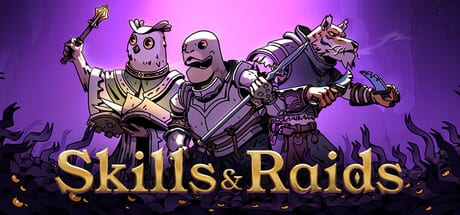
Skills & Raids launched on Steam on July 27, 2026 for PC and Mac through a single store listing. Before you buy during the $7.99 launch sale or install the free demo, confirm your hardware meets Valve’s published specs and understand what the store page does—and does not—guarantee for performance.
This guide mirrors the official Steam system requirements as of launch week, adds practical context for low-end PCs and Apple Silicon Macs, compares demo versus full install sizes, and points to related wiki pages for purchase decisions and platform details.
Official Minimum Requirements (Steam)
Storypaintings lists modest minimum hardware on the Steam store page. These are the baseline specs Valve displays for Windows players:
| Component | Minimum (Steam) |
|---|---|
| OS | Windows 10 or newer |
| Processor | Intel i3 4th generation or equivalent |
| Memory | 1 GB RAM |
| Graphics | Most dedicated GPUs should work |
| Storage | 1 GB available space |
| Additional notes | Requires a 64-bit processor and operating system |
The listing emphasizes 64-bit Windows 10+ and a dedicated GPU rather than integrated-only graphics. Skills & Raids renders hand-drawn 2D environments with real-time combat and pause overlays—lighter than a modern 3D AAA title, but still dependent on consistent frame delivery when three heroes use abilities simultaneously.
Recommended Requirements
Steam’s store page at launch lists only the 64-bit requirement under recommended specs—no separate CPU, RAM, or GPU tier is published yet. Treat that as a signal the developer tested broadly on mid-range indie-RPG hardware rather than publishing a second formal table.
For comfortable launch-week play on PC, our practical guidance—not official Steam text—is:
- 8 GB system RAM or more for smooth alt-tab between Steam overlay, Discord, and the game
- Any dedicated GPU from the last decade (GTX 750 Ti class or better) at 1080p
- SSD storage optional but improves load times between camp hubs and raid zones
- Windows 10 or 11 64-bit fully updated
If your machine barely clears the 1 GB RAM minimum, close background browsers and streaming apps before launching raids.
PC and Mac on Steam
Skills & Raids ships on both PC (Windows) and Mac through the same Steam app ID. macOS players download the Mac build from the identical store listing—no separate purchase required.
Mac-specific notes for launch week:
- Apple Silicon (M1/M2/M3) Macs generally exceed minimum specs through Rosetta or native builds depending on what Storypaintings ships
- Intel Macs from 2015 onward usually handle 2D tactical RPGs at minimum settings
- Controller and keyboard layouts are documented in our Controls guide
- macOS patches may arrive separately from Windows hotfixes—confirm on the Wiki links page and Updates hub
Steam Cloud saves may sync between platforms if enabled on your account; verify in Steam settings before switching devices mid-campaign.
Storage and Install Size
The store lists 1 GB available space as the minimum storage requirement. That covers the base game install at launch; future patches, demo side-by-side installs, or Supporter Pack DLC may require additional free space. Keep at least 2 GB free on your drive if you plan to install both the full game and the free demo (App ID 4770110) for comparison.
Supported Store Languages
Steam lists 12 supported languages for Skills & Raids—interface and store descriptions localized through Valve’s standard language selector. That covers Latin America, Europe, and Brazil without fan translation patches. Supported languages typically include English, French, German, Spanish, Brazilian Portuguese, and additional European and Latin American locales; check the Steam store dropdown for the exact list in your region.
This fan wiki publishes guides in English, French, German, Spanish, and Brazilian Portuguese—a subset aligned with our community focus, not the full in-game language list.
Awards and Showcases
Before launch, Skills & Raids appeared in two notable industry showcases:
- Latin American Games Showcase 2026 — Official selection highlighting Latin American indie talent
- Game Effect Showcase 2026 — Featured alongside other standout indie titles
These selections reflect production quality and marketing visibility, not hardware requirements. They do confirm the game targets a broad Steam audience including lower-spec laptops common in indie RPG communities.
Demo System Requirements
The free Steam demo (App ID 4770110) uses the same engine and combat systems as the full release. Valve typically inherits identical minimum specs for demo and full game listings. Expect the demo to run on any machine that meets the Windows 10 64-bit, i3-class CPU, 1 GB RAM, and dedicated GPU baseline.
Demo differences are content scope, not engine demand:
- Tutorial and early zones only—shorter sessions, similar per-frame load
- Older demo builds (Steam Next Fest v1.4.8.1) may lack launch-week UI optimizations but do not require stronger hardware
- Demo progress does not transfer gear, but control familiarity carries over
If the demo stutters during pause-heavy three-hero fights, the full game will behave similarly until you adjust resolution or close background apps.
Low-End PC Tips
Players on minimum-spec hardware can improve stability:
- Run fullscreen borderless or native resolution without upscaling
- Lower shadow or effects settings if the options menu exposes them post-launch
- Disable Steam overlay temporarily if you see micro-stutters when pausing
- Verify 64-bit Windows—32-bit installs cannot run the game even if RAM and CPU qualify
- Ensure Windows Update and GPU drivers are current; indie launch weeks often ship day-one driver-sensitive fixes
Integrated graphics are not listed as supported. If you only have Intel HD Graphics, try the demo first and expect to lower resolution.
Purchase and Performance Context
Hardware is only part of the value question. Read the Launch Review for combat depth, extraction loop quality, and the $7.99 introductory price until August 10, 2026. Visit the Wiki links hub for official Steam URLs, demo links, Discord, and developer channels.
Skills & Raids is designed as an accessible indie extraction RPG—not a ray-traced blockbuster. Most gaming PCs and Macs from the last ten years should run it if they meet the published 64-bit and dedicated GPU guidance.
Quick Reference
| Topic | Launch-week answer |
|---|---|
| Platforms | PC (Windows 10+ 64-bit), Mac (Steam) |
| Minimum RAM | 1 GB (8 GB practical) |
| Minimum storage | 1 GB |
| Recommended (Steam) | 64-bit processor and OS only |
| Demo | Same specs as full game (App ID 4770110) |
| Languages | 12 on Steam store |
| Awards | Latin American Games Showcase 2026, Game Effect Showcase 2026 |
Frequently Asked Questions
Quick answers to the most common questions.
Can I play Skills & Raids on Mac?
Yes. The same Steam listing includes a Mac build for Apple Silicon and Intel Macs. Check our Controls guide for keyboard and controller setup on macOS.
Will Skills & Raids run on a low-end PC?
If your PC meets Steam minimums—Windows 10 64-bit, i3 4th gen or equivalent, 1 GB RAM, and a dedicated GPU—it should run. Close background apps and try the free demo first on borderline hardware.
Do the demo and full game have the same system requirements?
Yes. The free Steam demo uses the same engine and typically shares identical minimum specs. Demo content is shorter, not less demanding per combat encounter.
Why does Steam only list 64-bit under recommended specs?
The developer published minimum hardware details but only reiterated 64-bit under recommended at launch. Use 8 GB RAM and a recent dedicated GPU for smoother pause-heavy combat.
How much disk space do I need?
Steam lists 1 GB minimum for the base install. Keep 2 GB free if you install both the full game and demo, or plan for future patches.